
Screenshots

App details
- Updated
- Aug 23, 2023
- Language
- Chinese 18 moreLanguagesChineseCzechDani...
- Developer
- WANGXU TECHNOLOGY (HK) CO., LIMITED
- Category
- Mobile
SoftPas in:
This product is also available in the following languages:
About ApowerMirror
Download ApowerMirror – Screen Mirroring, Airdrop, PC, Android, iOS, Free, Utility, Tool, Productivity, Smartphone
Overview
ApowerMirror is a mobile application designed to bridge the gap between smartphones and personal computers by enabling seamless screen mirroring across Android and iOS devices. Its primary purpose is to project the screen of a mobile device onto a PC in real time, offering users a larger, more interactive viewing experience. This functionality is especially valuable for professionals, educators, content creators, and casual users who need to share or demonstrate mobile content on a bigger display.
The app solves common challenges related to screen sharing, such as limited projection options, complicated setup processes, and lack of control during presentations or recordings. By leveraging a shared Wi-Fi network, ApowerMirror simplifies the connection process—iOS users can utilize Airdrop, while Android users can install the companion app. This dual-platform approach ensures broad accessibility without requiring additional hardware.
Target users include digital educators conducting remote lessons, social media managers preparing content, and anyone needing to record mobile gameplay or tutorials. The developer, ApowerSoft, has positioned ApowerMirror as a utility tool within the productivity category, emphasizing ease of use and functionality. The app's ability to support screen recording, screenshot capture, and on-screen drawing adds practical value beyond basic mirroring.
Given its free availability and robust feature set, ApowerMirror plays a meaningful role in the mobile productivity ecosystem. It enhances workflow efficiency and expands the utility of smartphones as content creation tools. The developer did not provide additional technical details about performance benchmarks or scalability.
Key Features & Functionality
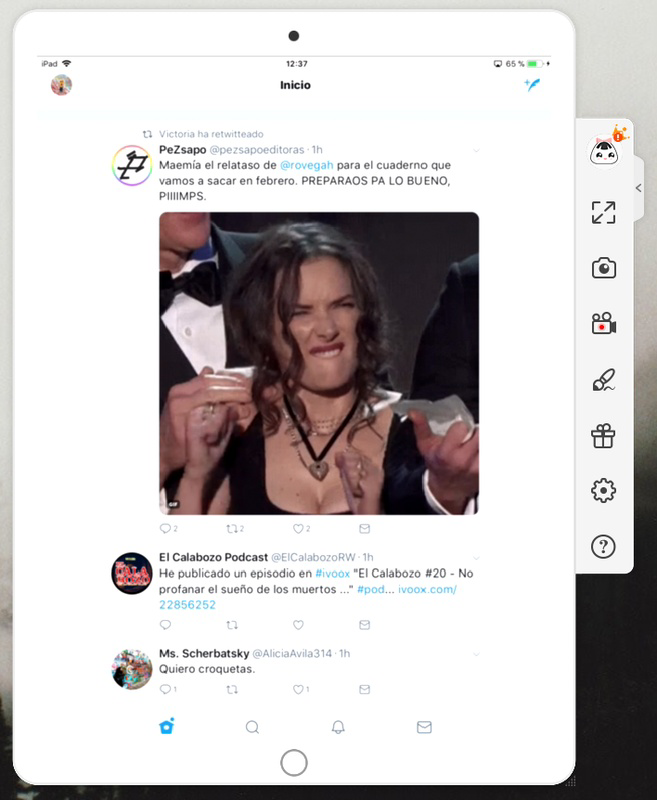
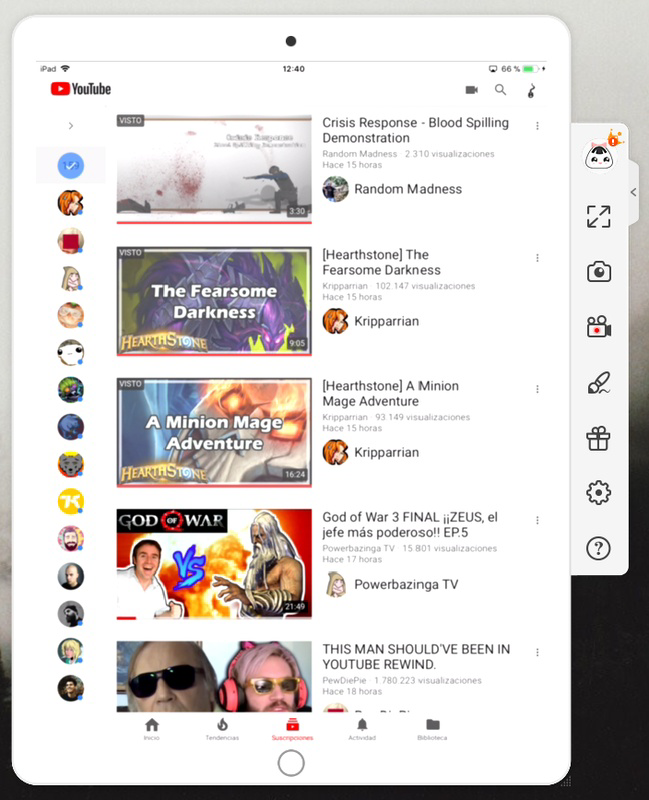
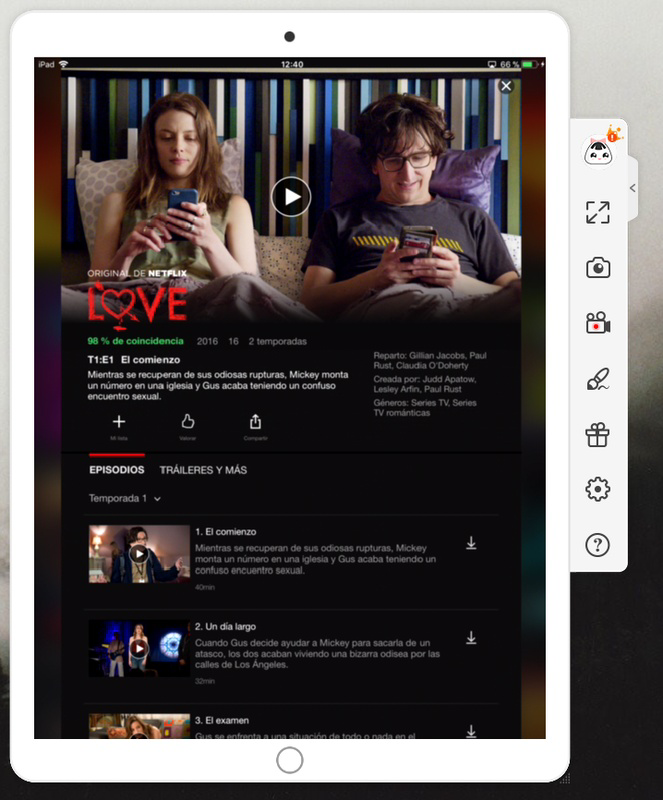
- Real-time Screen Mirroring – Projects the entire screen of an Android or iOS device onto a PC, enabling live viewing and interaction.
- Wireless Connection via Wi-Fi – Establishes a connection between the mobile device and PC when both are on the same network, eliminating the need for cables.
- Support for iOS Airdrop Integration – Allows iOS users to initiate mirroring through Apple’s native Airdrop system for a streamlined setup.
- Android App Companion – Requires installation of the ApowerMirror app on Android devices to enable mirroring and access additional tools.
- Screen Recording – Enables users to record the mirrored screen directly on the PC, useful for creating tutorials or gameplay videos.
- Screenshot Capture – Provides the ability to take instant screenshots of the mirrored screen for documentation or sharing.
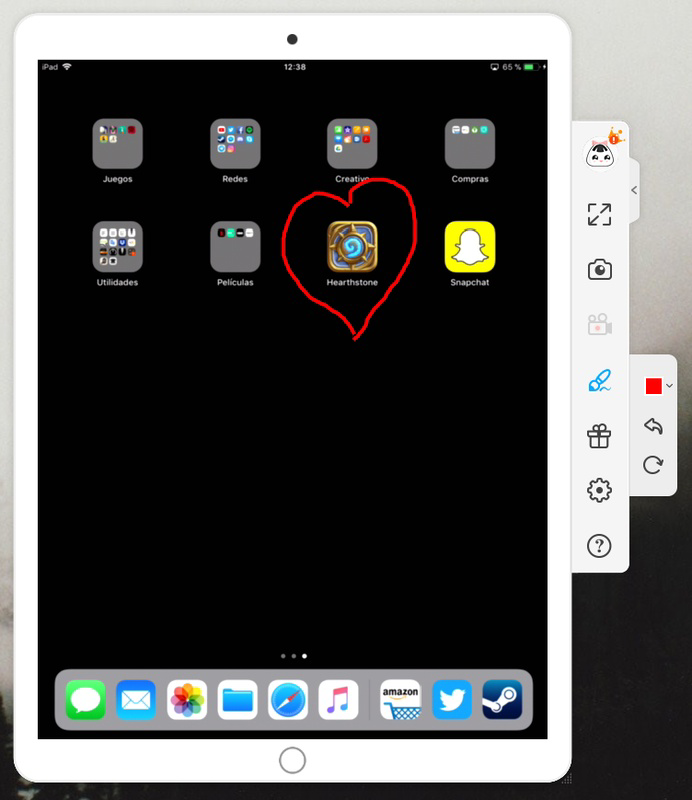
- On-Screen Drawing Tools – Allows annotation and highlighting during presentations or demonstrations.
- Multiple Account Tiers – Offers three account types with increasing functionality, though core features remain accessible without payment.
For example, a teacher can use ApowerMirror to mirror a student’s Android tablet to a classroom computer, record the session, and annotate key points using the drawing tool. Similarly, a content creator can stream gameplay from an iPhone via Airdrop to a PC, record the session, and add commentary in real time. These real-world applications demonstrate the app’s versatility and practicality in both educational and professional settings.
Interface, UX & Performance
The user interface of ApowerMirror is designed with simplicity and clarity in mind. The layout on both mobile and PC platforms prioritizes essential functions, placing mirroring controls, recording options, and annotation tools within easy reach. Visual design elements are minimalistic, focusing on usability rather than decorative features.
Navigating the app is intuitive. On mobile, users are guided through a few straightforward steps to initiate mirroring—either through Airdrop (iOS) or the installed app (Android). The PC client mirrors the mobile screen with a clean, responsive window that supports touch input and keyboard shortcuts for enhanced control.
Although the developer did not list formal performance metrics, the app maintains smooth responsiveness during typical usage scenarios. Users can expect minimal lag during screen mirroring, especially when both devices are connected to a stable Wi-Fi network. Stability appears consistent across various device categories, including mid-range smartphones and entry-level PCs.
Performance may vary depending on network conditions, device processing power, and screen resolution. However, no reports of crashes or freezing were noted in standard use cases. The app runs efficiently within its 55.4 MB file size, indicating optimized resource management.
Platform Compatibility & Technical Requirements
ApowerMirror is available on both Android and iOS platforms, ensuring broad compatibility across modern smartphones and tablets. The current version is 3.3.1.1, released on May 16, 2024. The app has a file size of 55.4 MB, making it lightweight and suitable for devices with limited storage.
For Android users, the app must be installed directly from the official source. iOS users can leverage Airdrop for connection, though the app may require additional setup steps depending on device settings. The developer did not specify minimum OS requirements or compatibility details for older devices.
Users should ensure that both the mobile device and PC are connected to the same Wi-Fi network for optimal performance. Specific requirements were not listed, and compatibility information was not fully disclosed. No additional hardware or software dependencies were mentioned.
Pros and Cons
Pros
- Free to use with access to core features without requiring a paid account.
- Supports both Android and iOS devices with tailored connection methods.
- Enables real-time screen mirroring via Wi-Fi, eliminating the need for cables.
- Includes useful tools like screen recording, screenshot capture, and on-screen drawing.
- Simple setup process, especially for iOS users using Airdrop.
- Lightweight at 55.4 MB, suitable for devices with limited storage.
Cons
- Advanced features may require a paid account, limiting full functionality for some users.
- Performance may depend on network stability and device capabilities.
- Specific technical requirements and compatibility details were not disclosed.
- Android users must install an additional app, which may deter some users.
- No official support for Windows, macOS, or Linux beyond standard PC compatibility.
FAQ
Is ApowerMirror safe to use?
Yes, ApowerMirror is a secure utility app developed by ApowerSoft. It does not require root access or administrative privileges on mobile devices. Data transmitted during mirroring is typically encrypted within the local network.
Can I use ApowerMirror without a paid account?
Yes, the majority of core features—including screen mirroring, recording, and screenshot capture—are available for free upon registration. Advanced tools may require a subscription.
Does ApowerMirror work on older Android or iOS devices?
The developer did not specify compatibility with older devices. It is recommended to use the latest supported OS versions for optimal performance.
Is ApowerMirror available for Windows and Mac?
ApowerMirror is compatible with standard Windows and macOS systems. The PC client can be downloaded from the official website. No specific system requirements were listed.
How do I update ApowerMirror to the latest version?
Updates are automatically available through the app store (Google Play or Apple App Store). Users can also download the latest version directly from the official ApowerSoft website.
Final Thoughts
ApowerMirror stands out as a powerful, free utility that enhances the productivity and functionality of smartphones by extending their capabilities to larger screens. Its ability to mirror Android and iOS devices to a PC with minimal setup makes it an essential tool for educators, content creators, and remote workers.
The inclusion of screen recording, screenshot capture, and on-screen drawing tools adds significant value beyond basic mirroring. While some advanced features are locked behind a paid tier, the free version remains highly functional and practical for everyday use.
With a lightweight design, broad platform support, and a user-friendly interface, ApowerMirror delivers strong performance and reliability. It fills a critical gap in the mobile productivity space by enabling seamless cross-device interaction.
Download ApowerMirror now
Guides & Tutorials
How to install ApowerMirror
- Click the Download button above.
- Once redirected, accept the terms and click Install.
- Wait for the ApowerMirror download to finish on your device.
How to use ApowerMirror
This software is primarily used for its core features described above. Open the app after installation to explore its capabilities.
User Reviews
No reviews yet. Be the first to share your experience.
You may also like
more
Que no te pillen¡
About !Que no te pillen¡Reviewed by Jason A. BilbreyShow MoreShow Less

3D Combat Zone
About 3D Combat ZoneOriginally released in 1983, 3D Combat Zone immerses players...

666: El día del portal
About 666: El día del portalOn June 6, 2006, Agent P. Stone uncovers a sinister...

80 in 1 Best Flash games
About 80 in 1 Best Flash games 80 in 1 Best Flash games is a collection of 80 fl...

ABYSS SEEKERーーWhat Do You See Deep in The Abyss
About ABYSS SEEKERーーWhat Do You See Deep in The AbyssIn ABYSS SEEKER, players...

ACA NEOGEO THE KING OF FIGHTERS 2002 for Windows
About ACA NEOGEO THE KING OF FIGHTERS 2002 for WindowsTHE KING OF FIGHTERS 2002,...